String material: The strings of acoustic guitars are generally composed of 6 single strings (except special). The strings 1-3 (fine → thick strings) are non-wound strings, which are solid wires of different thickness (1 string most Thinner and thicker, the surface will be coated with a metal layer such as tin or zinc, 4-6 will be wound with a string, and a wire will be wound on the basis of the solid steel wire. The winding wire is made of different kinds of metal plating. It is the main determinant of the quality of the string material. The four most popular string brands on the market, Alice, Martin, Elixir, and D’Addario, are now taking their mainstream models for evaluation.
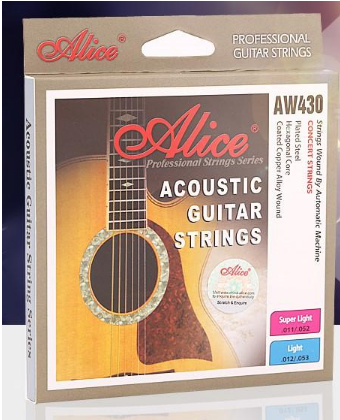
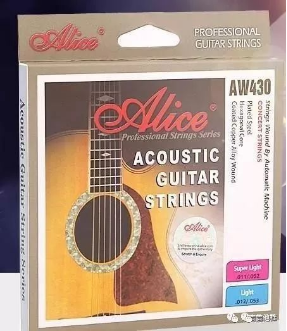
Alice AW432: Alice is the leader of the domestic string, with a very high cost performance, is a very good choice for the student party. Alice AW432 is one of the best-selling products, with thickness between 011-052, imported wire string, coated copper alloy wrapped strings, soft touch, soft tone and rich overtones. The main thing is that the price is real, even if you change it once a month, it won’t feel bad.
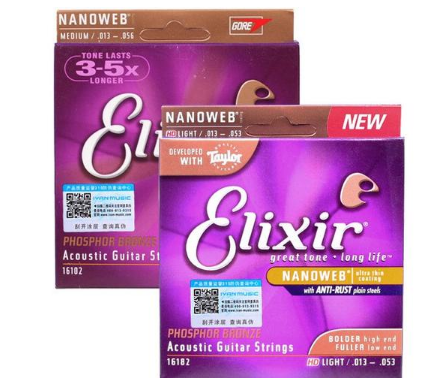
Elixir 16052: The most powerful technology of the company is “coating rust”, which greatly extends the life of the strings without external forces. But the Achilles heel is also due to the plating of a layer of film on the surface of the wire, which makes the string harder and slippery, and it will rise when used for a long time, and the feel is slightly worse than other brands.
Elixir16052 is one of the best, the thickness is between 012-053, the tone is thick, the graininess is strong, but the horizontal force requires a lot of strength.
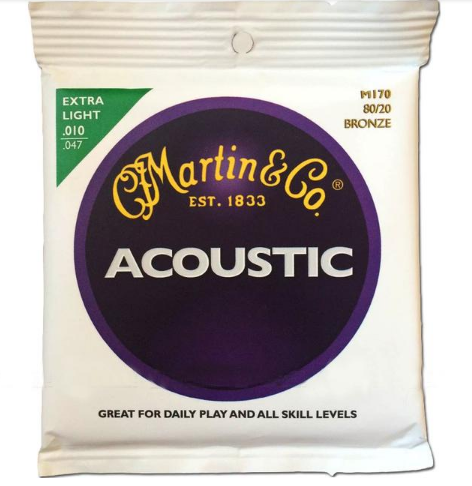
Martin MSP4100: Some people say that if you can’t afford a Martin guitar, buy a Martin string.
The Martin strings are designed for performance and are full of tension for large stage performances. Martin MSP 4100 is a typical representative of this, the thickness is between 012-054, 1, 2 string copper plating, 3 to 6 string phosphor bronze winding, the texture is hard, the feel is more dry than Elixir, the low frequency is full and wide, high frequency has strong penetration.
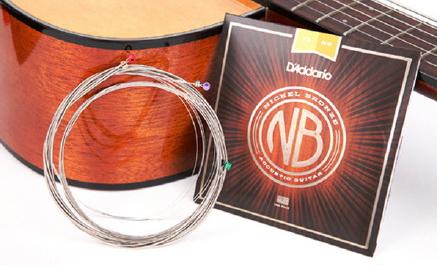
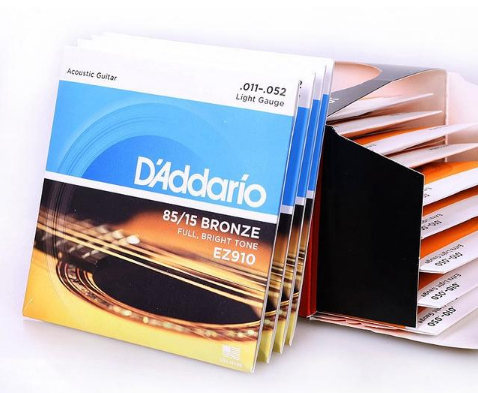
D’Addario EJ16: As an American string brand, Daddario has a very high reputation and a high quality and affordable price. It is loved by guitar lovers all over the world. The most popular D’Addario EJ16, the thickness is between 012-053, the core of the string is made of hexagonal high carbon steel, and the outer layer is wrapped with anti-corrosion phosphor bronze to create a transparent and bright tone. The tension is moderate and comfortable to play, perfect for everyday practice.
The Top: The internal structure of the guitar top is equivalent to a speaker, which is divergent.
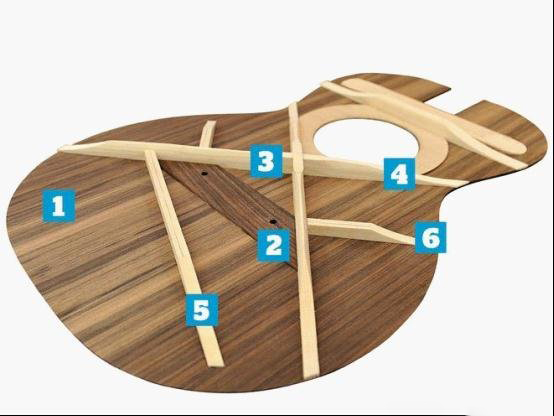
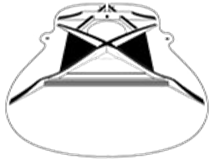
acoustic guitar inside structure
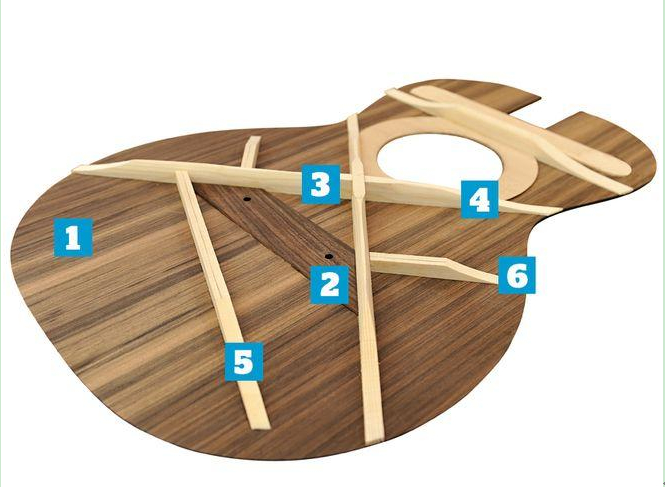
1.The soundboard: top
The role of the top is to transmit real-time dynamics of the strings through the air.
“When choosing a panel for making a guitar, the first element is to consider the hardness of the wood. The best choice is a wood-cut vertical cut sheet with a good enough hardness. When this indicator is not enough, you need to increase the thickness of the soundboard. However, the greater the thickness of the soundboard, the less responsive the response and the less sensitive the response to the strings. In contrast, the sound board with a strong hardness and thin thickness has a dynamic response that is timely and agile. The wood obtained from the quarter-saw is the perfect, and the growth angle of the wood ring is best for making guitar. ”
(The standard thickness of the top is 2.5mm)
PS: The picture is a standard version, but in general each factory has its own sound beam design structure, not exactly the same.
2.Bridgeplate
Under the top, the bridge plate is glued to strengthen the structure of the body, which is generally a hard maple. There are drilled holes to carry string-anchored pins. For many years guitar masters have been searching for the best size wood for bridge decks, because very small differences will be fatal to the sound of the guitar. Maple is by far the best material. (Martin tried to use rosewood bridges in 1970 and the results have been used as an example of failure).
3. Forward shifting
The term specifically refers to the X-shaped bracing center moving forward, about 1 inch from the edge of the sound hole. This is the standard location for the center point of the bracing.
4.X-bracing
There are many types of support beams, but the most popular way is the X-shaped support keel. Martin Frederick Martin, the founder of Martin, first used the trapezoidal support beam design used in classical guitars. Later, Martin designed the X-shaped support keel for the gut guitar for the first time. It was not until the 1920s that Martin began to produce steel-string guitars. The internal structure of acoustic guitars began to use X-shaped support bracings. Until today, it is still the most practical and popular acoustic guitar internal support.
5.Tone bars
To support the X bracing, many steel string guitar panels use this ancient support beam design. The reason why it is called the sound bar is that the position and shape of these support beams have a great influence on the vibration of the panel, and further influence the sound of the guitar through the vibration of the panel.
6.Scalloping bracing
Also as a reinforced structure, the high-quality steel-string guitar is a huge pulling force for the balance string, and this part of the structure will be carefully manufactured. At the same time, these support beams can also ensure the free vibration of the panel, rather than being too stiff.
Many beginners or even performer always think about this: Cutaway and non-cutaway: Which guitar is right for me? Should I buy a guitar with or without a cutaway? I want to play the higher notes as well. Will I be able to play higher notes with a non-cutaway? What are the advantages and disadvantages
Actually, whether you go for an acoustic guitar with a cutaway or a non-cutaway guitar will depend on a few things. There are advantages and disadvantages to both. What you go with will depend on a couple of things. Like, how much you need to reach the upper frets; Your tone preferences ; What you use your guitar for ?
The non-cutaway are the folk styles that have been inherited from the design of classical guitars. In some theories, the resonance is better than the cutaway, but there is no obvious difference in the actual performance. Its design disadvantage is that it is difficult to play with fingers under the 14th fret. The cutaway are designed to have a wider range and are similar to electric guitars, making them suitable for high-quality performances. Many brands have installed electric devices directly in the corners of the ballads, making it easier to stage performances.
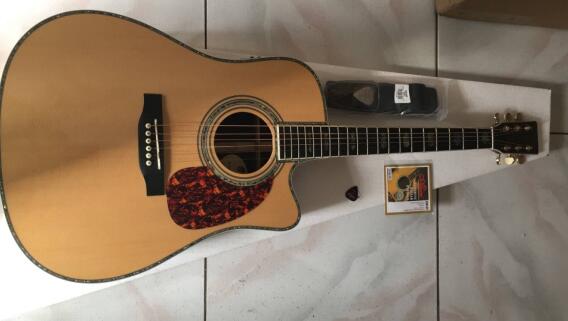
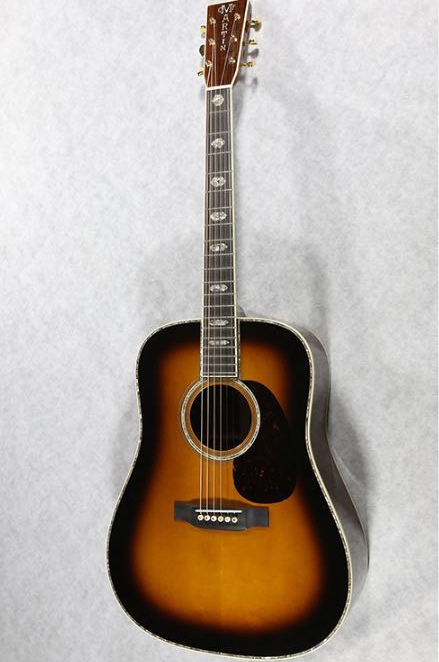
Martin D45 dreadnought acoustic electric guitar
Features in details between these 2 kinds of guitar:
1 Shape: The non-cutaway shape curve is complete, with the classical beauty of sexy girls. The shape of the cutaway is modern and has a rock and pop feel.
2 Voice: In theory, the non-cutaway resonance chamber is complete and the tone is fuller. The cutaways are slightly inferior, and the actual low-end guitars are slightly different in hearing.
3 Performance: Fingerstyle musicians more choose the non-cutaway guitars, some solo performances for folk-style musicians always choose cutaway guitars .
Martin D45 dreadnought acoustic electric guitar
The difference in playing style:
1. Acoustic guitar, the cutaway guitars, used to play, or play the lead.
The fingerboard of the guitar is narrow. It is easy to play a high-quality lead because of the lack of a corner. The tone can be brighter.
2. Classical guitar with rounded corners. Fingerboard is wider. Used for solo. The sound can be softer.
3. I suggest you use an acoustic guitar. Because you can play the lead.
The benefits of non-cutaway guitars:
Advantages: 1. The sound is full and the penetration is strong.
Disadvantages: 1. When the position below the 12th fret ,the hand is not good enough
(but in general, there is very little to learn to play at there for beginners.)
Cutaway guitar benefits:
Advantages: It is easy to play at the 12th fret.
Disadvantages: The tone is less than the non-cutaway guitars.
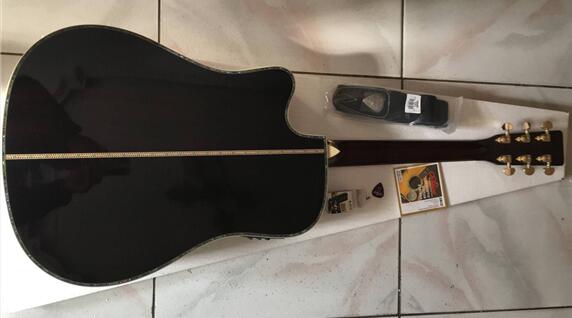
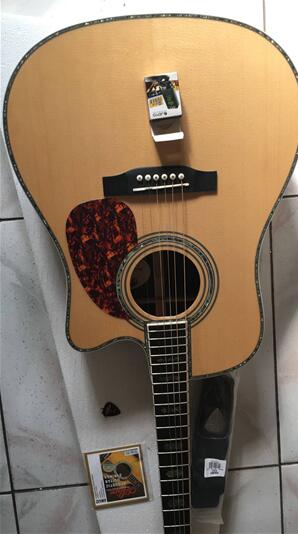
Martin D45 dreadnought cutaway acoustic-electric guitar
What is the differences between non-cutaway guitars and cutaway-guitars ?
1. The non-cutaway guitar is more suitable for the classical style playing, and the cutaway guitar is more suitable for the modern style playing.
2.Because of the resonance box is complete of the non-cutaway guitars, the sound should be better than the cutaway guitars. But the cutaway guitar can be used to play high-pitched syllables, solo will play better.
3. The shape of the cutaway guitar looks good, but in theory, the corner of the guitar resonance box is not complete, the sound is not good with non-cutaway guitar.
4. The cutaway playing is generally a solo in the folk songs, and the full-cornered is the accompaniment in the folk songs. (The cutaway guitar is easy to play solo under 12th fret ).
5, The cutaway guitar is generally used for solo, because the corner is missing, the hand can reach the final fret. The rounded-corner are generally used for accompaniment, because the rounded corners, the hand can not reach the last few frets.
6.Because the design of the rounded-corner non-cutaway guitar is suitable for “inclined” (sitting position) holding the guitar. The design of the cutaway guitar is suitable for (standing) “cross-back” holding the guitar. When the guitar is held in a “cross-back” style, the distance between the hand and the body of the string is increased. The lack of cutaway guitar design is good for the hand to be able to make high-pitched sounds, especially for the modern practice, the high-pitched cymbals and chords.
7.The design of the cutaway guitar is only for the needs of different styles of performance, it is convenient to play under the 14th fret.
8.If you play more solo, then choose the corner, if there are more accompaniment, then choose the non-cutaway guitar, this depends on the direction you want to develop.
Martin D45 dreadnought cutaway acoustic-electric guitar
Which Guitar should You Choose?
That all depends on what you are using the guitar for. If you never play in the upper frets and don’t think you will be any time soon – then you’ll need to think about whether you would prefer the sound of a cutaway or a non-cutaway. If you play on stage a lot and barely play unplugged then a cutaway is probably your best option. Even if you don’t access the upper frets that often or at all. Going for a cutaway will give you more options for a guitar with on board electronics. If you do want to play unplugged sometimes but also want to play plugged in then you’ll need to consider the sound you prefer when your guitar is unplugged. If you prefer the non-cutaway sound then you will want to look for a non-cutaway with electronics. If you can’t find one that you like you can always have electronics installed (but it will be an extra cost).
Both guitar are better whatever you go for. I hope this has helped you to decide whether a cutaway or a non-cutaway guitar is right for you.
Martin D45 dreadnought cutaway acoustic-electric guitar
Let’s take a look at the names of the various parts.
top panel
1.Top panel
2.BRIDGE PLATE
This is generally made of maple wood, because maple is hard enough to carry the strength of the bolt for strings, its shape and size are very sensitive to sound and size.
3,4. X-BRACING
The X-brace keel support can be said to be the mainstream. Martin’s FORWARD SHIFTED Brace means that the center point of the X-shape moves forward to a distance of about 1 inch
from the sound hole.
5.TONE BARS
To support the X-bracing, its shape, size and position are very elegant, and it has a great influence on the panel vibration, so it also determines the tone.
6.SIDE TONE BARS
To support the X-bracing, its shape, size and position are very elegant, and it has a great influence on the panel vibration, so it also determines the tone.
Look at Martin’s several mainstream sound beam structures:
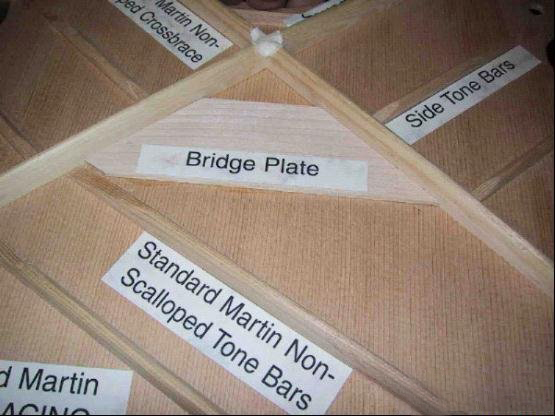
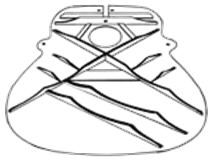
1.STANDARD X-BRACING Non-Scalloped, like Martin D-28 guitar.
non-scalloped Martin D28
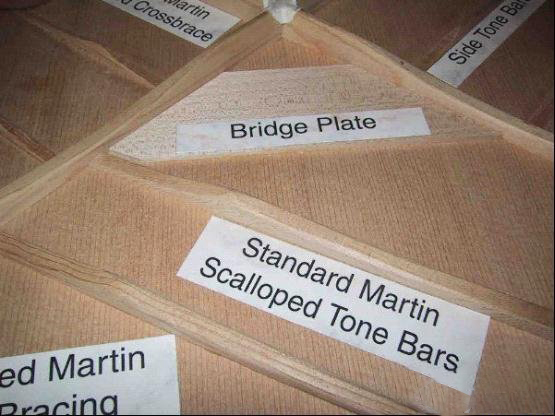
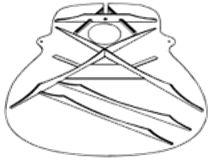
2. STANDARD X-BRACING Scalloped, such as Martin HD28 guitar. Its X-shaped bracing TONE BARS AND SIDE TONE BARS have been cut,
this part is done by hand.
scalloped Martin HD28 guitar
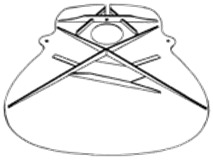
3. A-FRAME like Martin D16 guitar
This is Martin’s relatively new sound beam structure, which is different from the above two. The treatment of X-BRACING and TONEBARS is carefully compared with the above two, and it is found that this is uncut, but from a certain part, it is gradually cut toward the end. The shape of BRIDGEPLATE is also different from STANDARD. The X-shaped keel, BRIDGTONE BARS forms a relatively closed ‘BOX’, which reduces the use of TONEBARS and will have different performances for the sound. Its part above the sound hole is not the same as the traditional structure, and the structure is A-shaped, which is also the origin of the name of the sound beam structure. In addition, this structure is somewhat different from the traditional STANDARDX-BRACING neck connection.
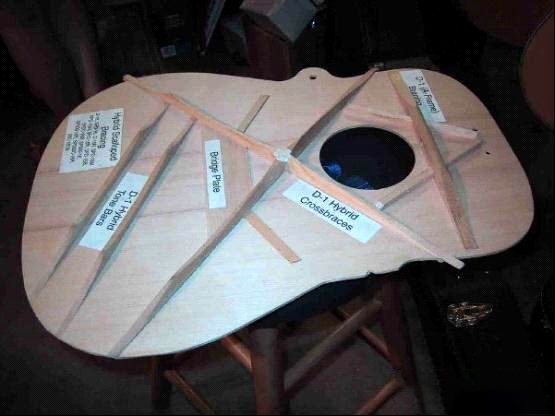
Hybrid Scalloped A-frame bracing
2.Hybrid Scalloped A-frame bracing, such as Martin HD16RA guitar, Martin D1GT guitar. The sound beam design of the hybrid structure uses a standard X-BRACING Scalloped structure below the sound hole, and the sound hole is designed with A-FRAME. The tone should be similar to the second tone beam structure.
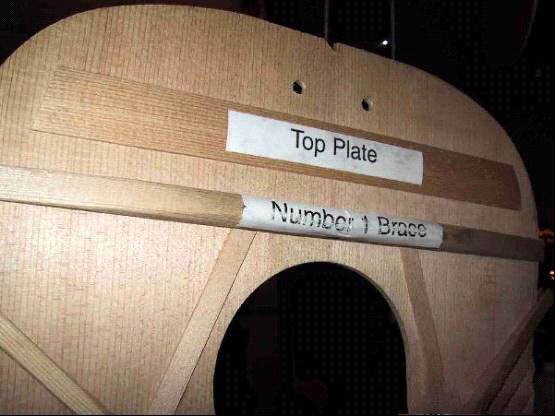
5. TOP PLATE
This is the first and second X-BRACING part of the sound hole. TOP PLATE should be used to strengthen the front end of the panel, and the neck is connected to the front end of the TOP PLATE. The difference between the design of the A-FRAME and this is obvious. It is now uncertain whether the different neck joints are designed for different sound beam structures or because of the different neck connections. This is a question of whether there is a chicken or an egg first, although the neck is plugged-in.
TOP PLATE
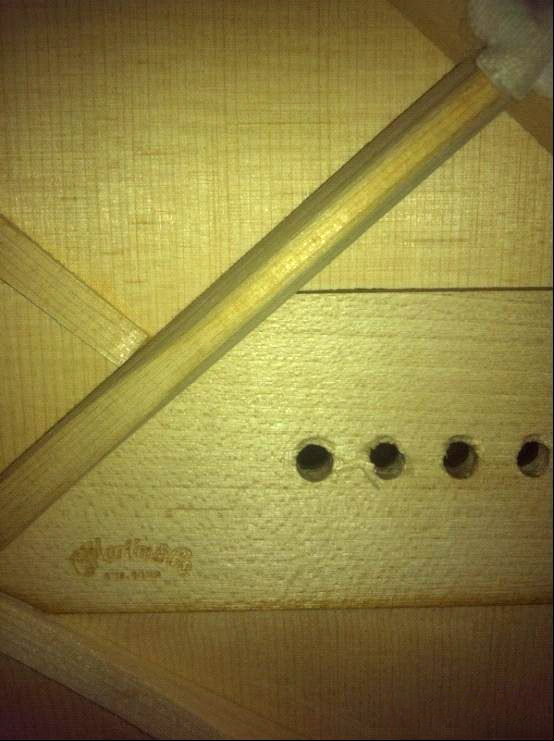
6. The picture below is what the Martin HD28 guitar looks like inside. You can see the X-shaped bracing. TONE BARS is cut, BRIDGE PLATE is marked with MARTIN LOGO.
Guitar bracing refers to the system of wooden struts which internally support and reinforce the soundboard and back of acoustic guitars. Soundboard or top bracing transmits the forces exerted by the strings from the bridge to the rim. The luthier faces the challenge of bracing the instrument to withstand the stress applied by the strings with minimal distortion, while permitting the top to respond as fully as possible to the tones generated by the strings. Brace design contributes significantly to the type of sound a guitar will produce. The unique sound of Martin guitar has always been loved by many artists, and the sound of the Martin guitar has gradually become the benchmark for acoustic steel string guitars. Guitars made by many other manufacturers compare their products to Martin guitars in promotional or articles. One of the unique sounds of Martin’s guitar comes from the construction of its internal sound bracing. In this article, we will introduce you to several common internal acoustic bracing structures of Martin.
Standard “X” Non-Scalloped
The traditional X bracing is generally used on the old Martin series, such as Martin D-28 guitar, Martin D35 guitar . Since the bracing is not cut, the overall panel will be heavy, so this affects the guitar’s partial resonance and volume. Therefore, the Martin guitar using this bracing needs more strength to play. Many people found that the sound was not the same as they thought when they bought the Martin D’28 guitar. In fact, there are several explanations for this problem. First, the strength of your playing guitar. Secondly, the sound of the Martin D28 guitar you think it should have is from the Master CD. The Martin guitar with this bracing structure performs very well in terms of recording. Because there is no cut bracing, the overtone is very stable, there is not much bass, and in the recording environment, no unnecessary noise is generated. So if you are not a recording guitarist or a particularly strong guitarist, it is not recommended that you buy a guitar with this bracing.
Standard X Non-Scalloped
Standard “X” Scalloped
A common topic for guitarists is how the Martin HD-28 guitar differs from the Martin D-28 guitar. In fact, the biggest difference between the two is that they differ in the bracing. This sound bracing is an improvement over some cuts on traditional X-shaped bracings. As you can see from the picture, this bracing is usually used on the Martin HD-28 guitar , Martin HD-35 guitar, or the new Martin Basic series. The biggest difference in tone with the uncut chirp is that the panel weight is reduced, the volume will be louder, the resonance will be better, and the overtone will be easier to emit. If you are a guitarist who loves fingerstyle playing, it is recommended to choose this type of bracing Martin guitar.
Standard X Scalloped
Martin’s scalloped bracing is also divided into two types, one is ordinary scalloping (such as Martin HD28, Martin HD35, etc.), and the other is Golden Era cutting (such as Martin D28 Marquis, Martin GE series, etc.). There are basically three differences between the two:
1) The intersection of Golden Era’s scalloped X-bracing is not a circular section, but a flat section, as in the case of conventional cutting, so that more direct contact with the wood can be added to increase the feedback of the guitar.
2) Golden Era scalloped cuts more material.
3) Golden Era scalloped is hand cut with a finer angle of cut.
These three main differences are designed to increase guitar feedback and sensitivity.
The two sound bracings described above are also divided into X Standard, X Forward Shifted, or X Rear Shifted. The X Standard’s X-cross point is 1.5 inches from the sound hole, providing the most average sound, whether it’s treble or bass (eg Martin D28 , Martin D41, Martin OM42, Martin D45 guitar, etc.) The front X intersection of the X is 1 inch from the sound hole, so that there is more space at the bottom of the guitar, which can provide more bass (Martin D’18 , Martin D’42 , multiple Vintage series, etc.). The X-intersection of the X-shift is 1.75 inches from the sound hole, so that the bottom of the guitar is more compact, the sound provided will be more penetrating, and the bass will be properly reduced due to the more compact bottom. In this case, in the case of recording or more aggressive sweeping, the bass will not be excessively loud (Martin D-28 Authentic 1941, Martin D-18 Authentic 1939 ).
Martin D-28 Authentic 1941 Martin D-18 Authentic 1939
Hybrid “X” Scalloped
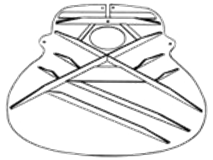
1.Hybrid “X” Scalloped: This sound beam, as its name suggests, is a combination of X structure and A frame. This bracing structure is mainly used in Martin’s 16 series and Performing Artist series (Martin D16-RGT, HD16R, DCPA4), mainly combining the A frame to strengthen the neck body. And because it is different from the 15th and 17th series of mahogany materials, the 16 series and the Performing Artist series are spruce panels, so the traditional X structure contributes to the spruce overtone and layered, clear sound.
Hybrid X Scalloped
A-Frame “X”
The biggest difference between this structure and the previous two structures is that the original horizontal top plate of the upper part of the guitar becomes the A-type bracket, and the guitar body structure is more compact (tone bar, side bracing has changed from two to one). This design usually appears in Martin’s 15,17 series (Martin D15, D15M, D17, D17M…), which is characterized by an A-shaped structure that provides additional support and rigidity to the structure of the neck and guitar body. In addition, the more complex bracing, the greater the restrictions on the top, this simple sound beam makes the panel more flexible, can better resonate and provide better bass. However, since there is no diagonal bracing, the overtone will be inferior to the ordinary X structure, and the provided sound is not so hierarchical, especially in the high pitch.
Hybrid X Scalloped
X-Series “X”
This structure is mainly used on Martin’s plywood guitars. The graphite plate between the traditional wooden beam and the X-pronged corner gives the panel maximum stability without sacrificing too much sound. Most of the restrictions on the tone are used in travel guitars or plywood guitars.
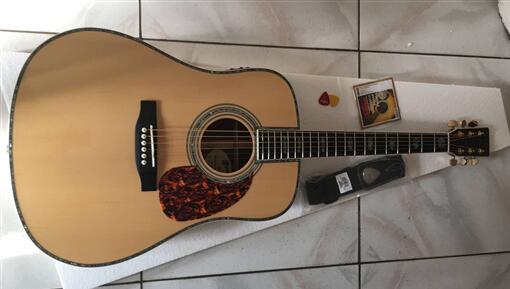
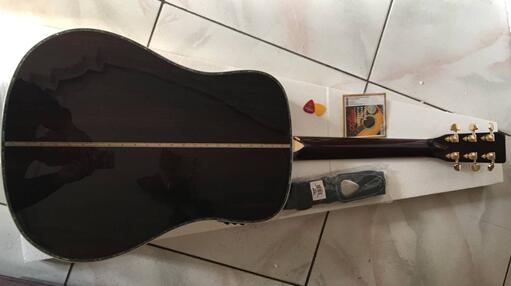
The size of the acoustic guitar should be from the top of the head to the bottom of the box: 39 inches, 40 inches, 41 inches refers to inches. 1 inch = 2.54 cm. 41 inches (inch) = 104.14 cm. And so on.
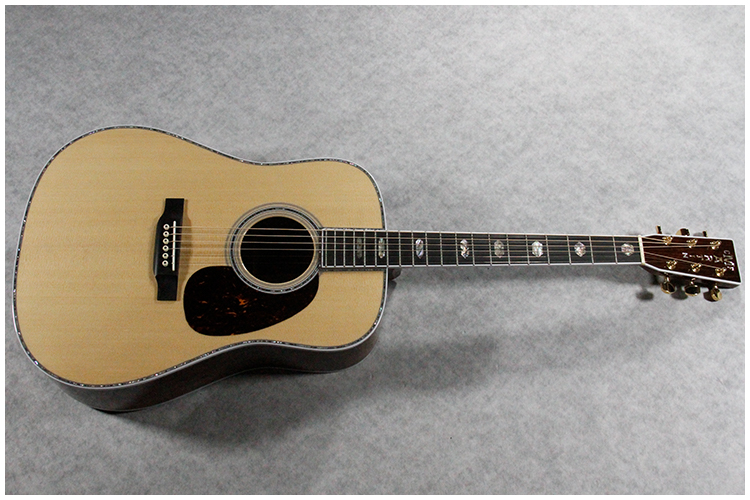
Martin D45 41 inch dreadnought guitar sunburst
As far as classical guitars are concerned, there are several types of chord lengths of 650 mm (standard), 655, 665, 640, 630, 580, and 550 mm.
Spanish guitar size data references as below:
Guitar size: (Spanish specifications)
Standard 650 x 52 mm
Senorita 636 x 50 mm
Cadette 580 mm (3/4 size small)
Requinto 544 mm (1/2 size small)
The 39-inch is a standard size for classical guitars and is a standard.
The formal classical guitar size is 39 inches, and the original color is generally used for the sound of the sound, without any colored paint, the wood grain can be clearly seen.
The size of the regular acoustic guitar is 41 inches, the back of the guitar is an acoustic arc, the volume is large, and the layers are distinct, which is easy to compare in guitars of different values. The acoustic guitars with beautiful colors and varied styles are generally designed to cover the low-grade wood and attract buyers who are only looking at the outside.
Children’s classical guitar purchase:
The 29-inch children’s classical guitar is suitable for children aged 3-6.
The 30-inch children’s classical guitar is suitable for children aged 4-8.
The 34-inch children’s classical guitar is suitable for children aged 7-12.
The 36-inch children’s classical guitar is suitable for children aged 11-16.
Ordinary guitars are 41 inches (104 cm) and smaller ones are 40, 39, 38 (96 cm). The larger one is 43 inches (109) cm.The 38 inch is a practice piano. It is unique to China. It is a non-standard guitar. The materials and workmanship are not too much, and the price is the cheapest.
Most of the 38-inch acoustic guitars we usually see in China are “popular guitars”, also known as “practice guitars”. Wood materials, structures, workmanship, acoustic effects and performance comfort are very poor, just a cheap entry-level product that came into being in response to the consumption level of the domestic market; Generally 38-inch guitar girls play the same size, 40, 41-inch guitar is a big folk, generally suitable for boys.
For the 40-inch and 41-inch guitars, the guitar has a louder volume on the premise of the same material and the same workmanship.
Martin D45 41 inch dreadnought guitar
Second, how many inches of acoustic guitar is suitable for you? What size is the most suitable?
In fact, in general, the height is less than one meter four, we all recommend 40 inch or classical guitar, and the 41 inch is no problem. Many people will say that my hand is very small, I can’t press the chord on the fingerboard, I can’t learn it.
Yes, 99% of people who just started to learn guitar will feel that their fingers are the least suitable for playing guitar in the world. They are short, boring, and have poor independence. They also feel that their hands fundamentally can’t control the guitar.
In fact, it is like we just started learning to run, learning to ride a bicycle, learning to swim, and everything is difficult at the beginning. Without this innate talent, it is difficult to master such a technology very quickly.
Return to the question of size. First, the size of the guitar refers to the total length of the guitar from the head to the bottom of the box, rather than just the size of the box.
However, we often say that the box is a XX-inch guitar. This is because the length of the fingerboard of a regular acoustic guitar is the same, and there are subtle differences in the width of the different brands. So we usually say that the box is XX inch.
So how big is the gap? The total length of the 41-inch 40-inch guitar is about 2, 3CM, and the width is more than 2CM per side. So you can imagine that the gap is very small.
But why do we visually feel that 40-inch will be much smaller? That’s because the 40-inch box is usually not D-type, generally more type A, so it will feel much smaller from the visual point of view.
When we start to learn to play the guitar, we first had to find a posture that I felt most comfortable, how to hold this guitar. Because the guitar’s cabinet is not a square, but has a curvature and a waist. No one stipulates that your right hand must be hung in the widest part of the box. If you can’t reach the string, you can put your hand in the middle of the box, and the position is larger. This makes it more comfortable to play.
As for the problem of the fingerboard, if you choose a 39-inch classical guitar because you are afraid that the 41-inch fingerboard is too wide, then I am afraid it will be the wrong choice.
Because of the size of the classical guitar, the fingerboard is usually 1 or 2 cm wider than the acoustic guitar. Of course, it is still the same sentence, people are alive, you can adjust according to your own posture. Playing a guitar is not a math test. If you make a decimal point, you are all wrong. Playing the guitar is the most free, and any way can pop up good music.
Of course, if you are a child who is only a few years old, it is not impossible to learn guitar at this time, but it is generally not recommended. Because the chord of the left hand still needs a certain amount of power, the children in this period are very small, and maybe even a can of Coke is not stable, let alone learn the guitar. Unless you want him to be a leader in the guitar world, you have to force him to work hard.
Learning a guitar is a happy thing, free and able to make you feel emotional and feel the charm of music. As long as the size of the guitar is not too far away, of course, as long as the guitar is a regular product, the size does not need to be too tangled, a good guitar, good sound, good feel can naturally let you enjoy the guitar! www.guitarofchina.com custom builds many inches of different guitars.
The sound of the guitar comes from the vibration of the strings. In the previous article, I introduced the effect of the resonance of the piano on the sound of the guitar. It also mentioned that the sound of the guitar comes from the vibration of the strings. For the guitar itself, the key component that most affects the sound is the strings, but now it seems that more people pay more attention to the choice of the body and ignore the strings.
Some people think that the guitar strings are nothing more than metal strings and nylon strings, and then the thickness is different. But this is not the case. Different strings of materials are different. Different materials determine different physical properties, and the sounds of strings based on different physical properties are different.
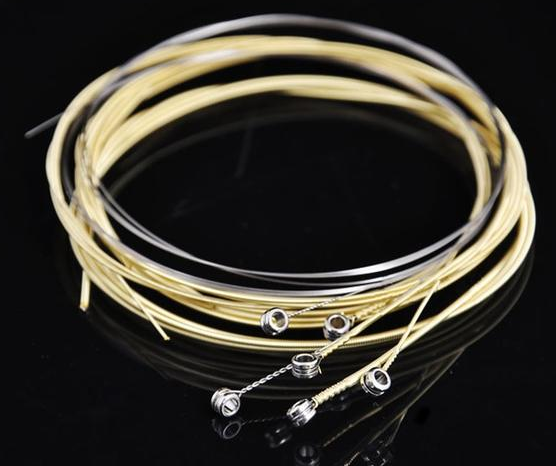
acoustic guitar string
A good acoustic guitar needs a good string to play a good sound. We bought a folk guitar, how should we match the strings? The process of selecting strings is complex and requires us to have some knowledge of the strings and consider many aspects. Then let us first talk about the basics of the strings.
acoustic guitar string
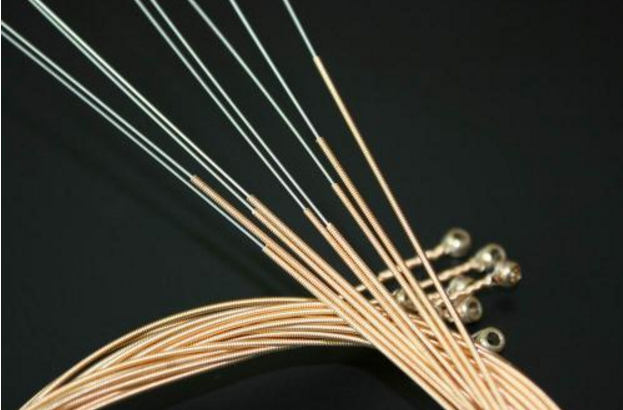
Let’s first talk about the first and second strings of the acoustic guitar. If you look closely, you will find that one and two strings are smoother than others. The main material of the first string and the second string is high carbon steel, which is made of high carbon steel and coated with other metals. The third, fourth, fifth, and sixth strings are different from the first and second strings, except that the interior is made of high carbon steel, and the outer layer is wrapped around the alloy string, and the inner wrapped high carbon steel is not like a string and two strings. Cylindrical, but prismatic. They are generally hexagonal prisms with a regular hexagonal cross section. The inner steel wire is made of prisms to make the outer metal wire wrap more firmly and the resonance effect is better.
acoustic guitar string
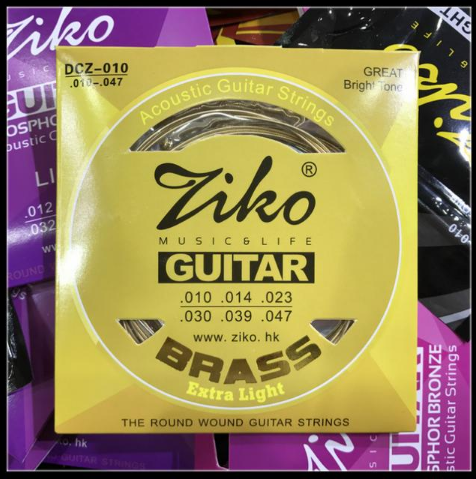
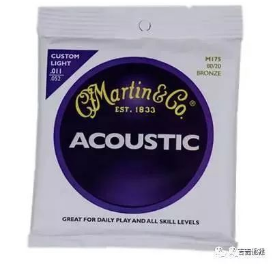
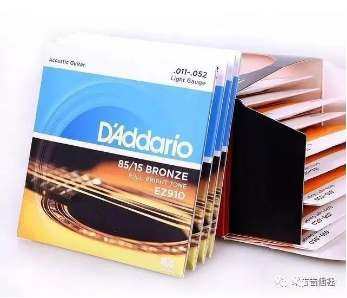
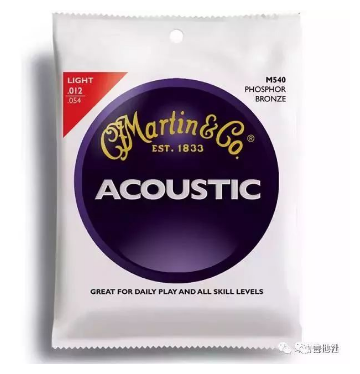
Generally, the material of the first and second strings is high carbon steel, and the outer layer of the fourth and fifth strings is wound with metal wires. There are many kinds of materials for the outer metal wire, which we can usually see on the outer packaging of the strings. The outer packaging of the strings generally has the words “80/20 Brass”, “80/20 Bronze”, etc. These words refer to the outer material of the strings.
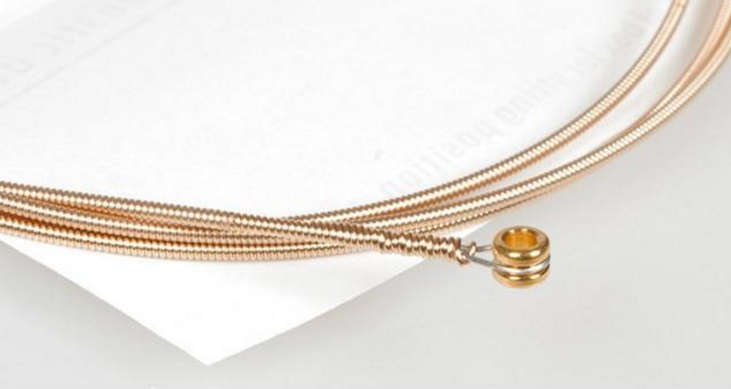
1.80/20 Brass: Brass is the English language for brass. Brass is an alloy of copper and zinc, and 80/20 is the ratio of copper to zinc. The brass strings are warm and uniform, and the sustain is long. You can use this string if you like to play folk songs.
80 20 Brass
2.Cupronickel: commonly known as “white copper”, copper-nickel alloy, a copper alloy containing 10% to 30% nickel. This string sound is bright and crisp.
Cupronickel
3. 80/20 BRONZE: This copper is bronze, copper and tin alloy, 80/20 is 80% copper and 20% tin. This kind of string is our most common string, if you have a friend who often compares different strings will find out. The strings are crisp and bright, used to play or flamenco-style sweeps, and are often used to finger-pointing, with a little metallic touch.
80 20 BRONZE
4. 80/15 BRONZE – Same as above, the composition of 80/15 is 80% copper and 15% tin.
This string sounds similar to the 80/20, but the sound is warmer and the performance is relatively balanced, suitable for a variety of styles of performance. If you don’t know what style of music you like to play, you can prefer this string.
80 15 BRONZE
5. Phosphor Bronze: Phosphor is the “phosphorus” in English, that is, phosphor bronze; and bronze itself is an alloy of copper and tin, the ratio is 90/10, which can be written as: 90/10 Bronze, on the basis of which a small amount of 5%) Phosphorus, the synthesis of phosphor bronze, so the phosphorous copper guitar strings are generally more expensive, due to its different raw materials and processes. This kind of string feels harder, but the sound is warmer, and the special playing skills can make the sound longer, which is very suitable for friends who like fingering playing.
Phosphor Bronze
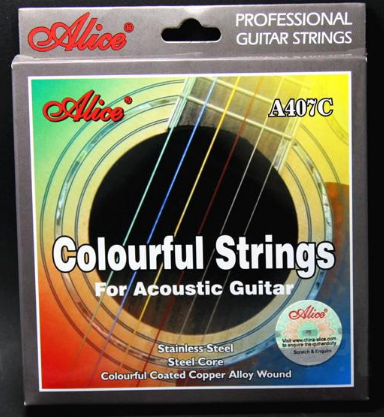
6. Stainless Steel: In fact, it is “stainless steel”. Some low-end guitars (burning fire sticks) are used with strings. This kind of strings is not easy to rust, but the sound is like the cotton.
There are a variety of color strings to choose from on the market. If it is for the cool on the surface, you can buy a bunch of back, change one set a day, and you regret it!
Stainless Steel
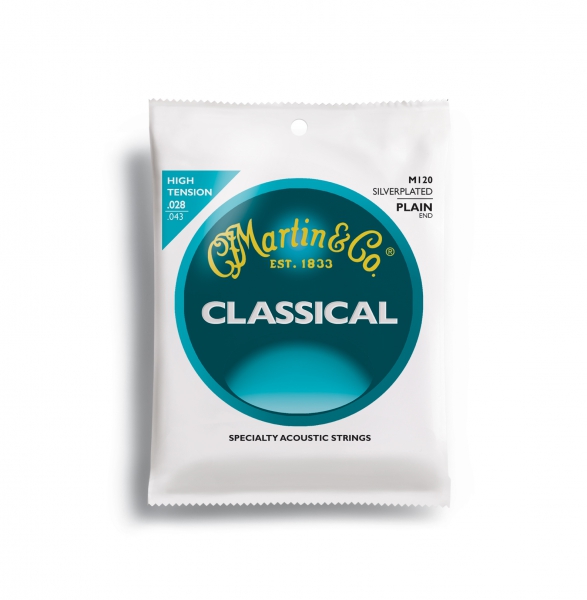
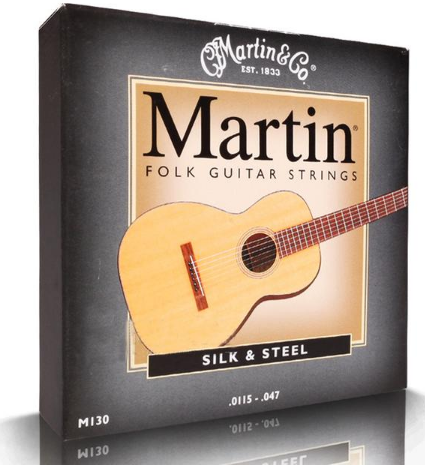
7. Composite (Silk & Steel): The translation is “combined strings (wire and steel)”, that is to say, steel strings with nylon strings inside, and the outside is wrapped with silver-plated bronze strings. This material is the Martin M130 string, so the tension is small and it is very easy to press and the sound is quite soft. There is also the use of such strings for classical guitars. Beginners can install such strings or simply choose classical guitars to avoid the ruin of metal strings on their fingers.
Composite(Silk & Steel)
8. Nickel – Nickel, the strings are crisp and bright, and the strings are relatively soft and the tension is not that great. These strings are commonly used on electric guitars.
Nickel
Good strings should have good sound quality, fast chording, stable pitch, good playability and long life. The manufacturers of the strings are usually trying to pursue higher possibilities in the above five aspects, or they try to have different performances in a certain aspect in order to achieve their own unique market positioning. They achieve their goals by adjusting the composition of the strings and the process flow. The manufacture of strings is not a precise science. Each brand of strings has its own unique characteristics, and there are also good and unsatisfactory places. No strings produced by any manufacturer are the best or perfect, different strings have different styles.
acoustic guitar string
Therefore, we have to choose the strings to understand their own musical style, but also to understand the purpose of playing the guitar. For example, if the luthier chooses the strings, he will choose strings that are less obvious in stylization, because such strings can better influence the sound of the body itself. If the player chooses the strings, they will definitely choose the style they like, because the strings can make the musician’s music more stylized and more distinctive. We should choose the strings ourselves and we should know what kind of music we want, and then choose the appropriate strings. If you are not very clear about your music style, you can ask someone who knows the guitar better and let the professionals help you analyze it. If you are a guitar beginner, it is recommended to choose a string that is easier to play, and then consider the stylized things.
For an acoustic guitar, the sound is the vibration of the strings and then generated by the action of the resonance box. Therefore, the sound of the guitar has a great relationship with the “source” strings and the wood of the body. However, some guitar friends now only pay attention to the choice of the body and ignore the strings – no matter what the strings are, what they usually use. They may think that the guitar strings are nothing more than metal strings and nylon strings. They have the difference in thickness and can make sounds. They don’t care about the strings! This is not the case. The materials produced by different strings are different. Different materials determine different physical properties and thus determine the characteristics of the guitar sound. No matter what kind of playing technique you can’t control and change this objective fact.
It is still necessary to learn some common sense and tricks to choose the strings. At least after buying a new guitar, know how to match the strings according to your needs, instead of relying on the factory settings. In addition to the more and more fake strings nowadays, and then do not pay attention to the choice of strings, it is likely that your strings have been short-lived in this life, and the sound of the guitar is especially fake.
So, let’s take a look at the relevant knowledge of the strings.
Generally, the material of one or two strings is high carbon steel, and the outer layer of the four-five-string string is wound with metal wire. There are many kinds of materials for the outer metal wire, which we can usually see on the outer packaging of the strings. The outer packaging of the strings usually has the words “80/20 Brass” and “80/20 Bronze”, which actually represent the outer material of the strings.
1.80/20 Brass: Brass is the English language for brass. Brass is an alloy of copper and zinc, and 80/20 is the ratio of copper to zinc. The brass strings are warm and uniform, and the sustain is long. You can use this string if you like to play folk songs.
80 20 Brass
2.Cupronickel: commonly known as “white copper”, copper-nickel alloy, a copper alloy containing 10% to 30% nickel. This string sound is bright and crisp.
Cupronickel
3. 80/20 BRONZE: This copper is bronze, copper and tin alloy, 80/20 is 80% copper and 20% tin. This kind of string is our most common string, if you have a friend who often compares different strings will find out. The strings are crisp and bright, used to play or flamenco-style sweeps, and are often used to finger-pointing, with a little metallic touch.
80 20 BRONZE
4. 80/15 BRONZE – Same as above, the composition of 80/15 is 80% copper and 15% tin.
This string sounds similar to the 80/20, but the sound is warmer and the performance is relatively balanced, suitable for a variety of styles of performance. If you don’t know what style of music you like to play, you can prefer this string.
80 15 BRONZE
5. Phosphor Bronze: Phosphor is the “phosphorus” in English, that is, phosphor bronze; and bronze itself is an alloy of copper and tin, the ratio is 90/10, which can be written as: 90/10 Bronze, on the basis of which a small amount of 5%) Phosphorus, the synthesis of phosphor bronze, so the phosphorous copper guitar strings are generally more expensive, due to its different raw materials and processes. This kind of string feels harder, but the sound is warmer, and the special playing skills can make the sound longer, which is very suitable for friends who like fingering playing.
Phosphor Bronze
6. Stainless Steel: In fact, it is “stainless steel”. Some low-end guitars (burning fire sticks) are used with strings. This kind of strings is not easy to rust, but the sound is like the cotton.
There are a variety of color strings to choose from on the market. If it is for the cool on the surface, you can buy a bunch of back, change one set a day, and you regret it!
Stainless Steel
7. Composite (Silk & Steel): The translation is “combined strings (wire and steel)”, that is to say, steel strings with nylon strings inside, and the outside is wrapped with silver-plated bronze strings. This material is the Martin M130 string, so the tension is small and it is very easy to press and the sound is quite soft. There is also the use of such strings for classical guitars. Beginners can install such strings or simply choose classical guitars to avoid the ruin of metal strings on their fingers.
Composite(Silk & Steel)
In addition, some guitar players has summarized the comparison and use of some well-known brands, see the following:
1, D’Addario: Common, but also used by the majority of the players. The middle of the sound is in the middle. Can be used as a practice string.
2. Elixir: Long life, the standard standard of the Taylor piano, for an ordinary piano, replaced with Elixir’s string, the improvement of the sound is obvious, recommended as a practice string, it is really strong! If you use the string oil properly, you can use it for a long time!
It is recommended to use the strings of Phosphor bronze. This sound is more realistic and it takes a while to make the sound warmer.
3. Cleartone: A very hard, very strong string that feels like a bounce. So what kind of music is suitable for playing, everyone should be able to think of it. The sound is really clear, crisp and grainy, the strings are expensive, and a set of strings can be used for a long time.
4. Newtone: This brand has a moderate string tension, clear sound, and is very durable. The songs that are played apart are especially pleasant. It is recommended to use.
5. Dean Markley: It is recommended to players who like Kotaro-Oshio and Masa.
Masa uses 0.11 Dean Markley Alchemy. Kotaro-Oshio uses Blue Steel’s Blue Gang 2025 CL 12-54, and sometimes he also uses 13 Martin, which is very strong. If you use a Sunrise pickup with a good preamp and the sound of Blue Steel’s strings, it is very close to Kotaro-Oshio’s voice. It is recommended.
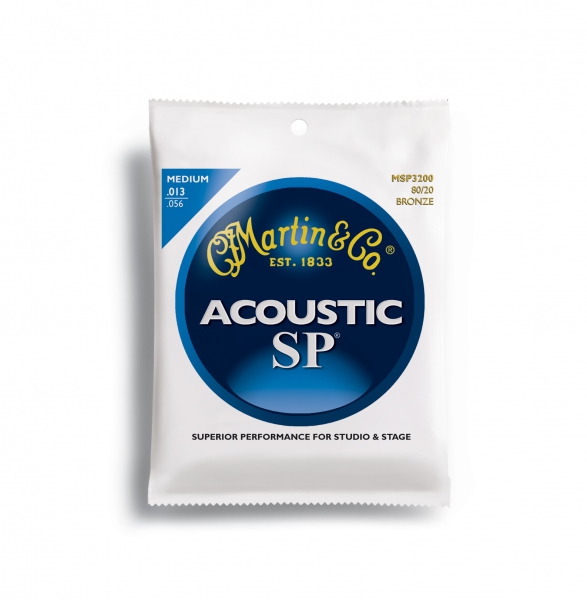
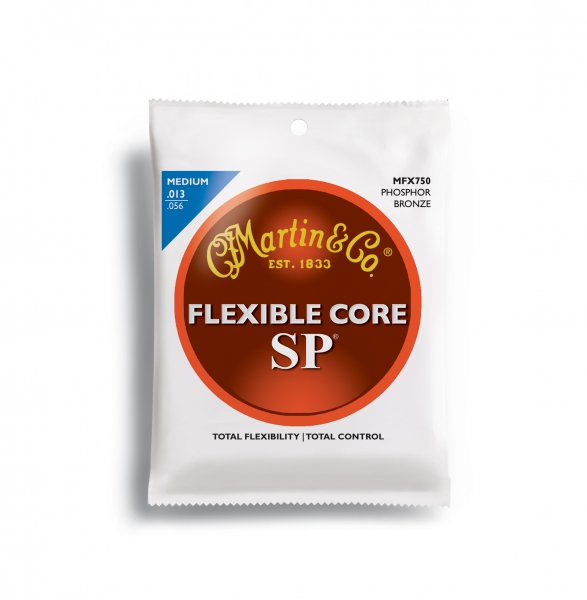
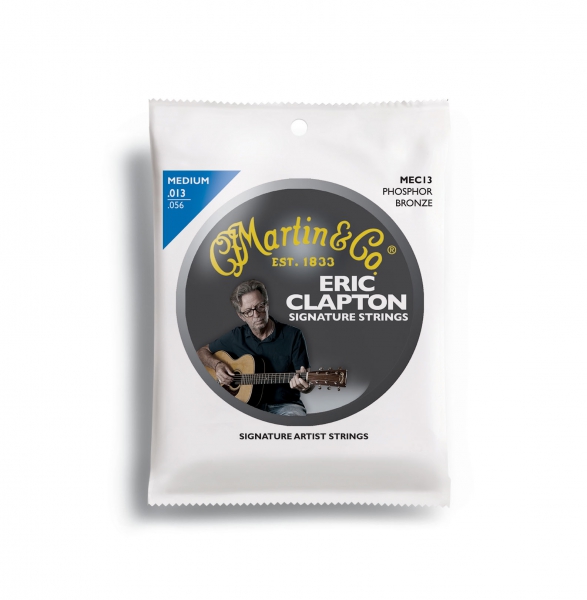
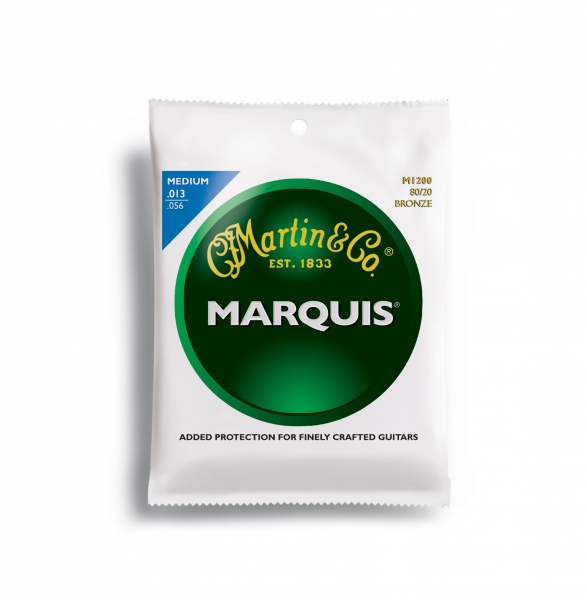
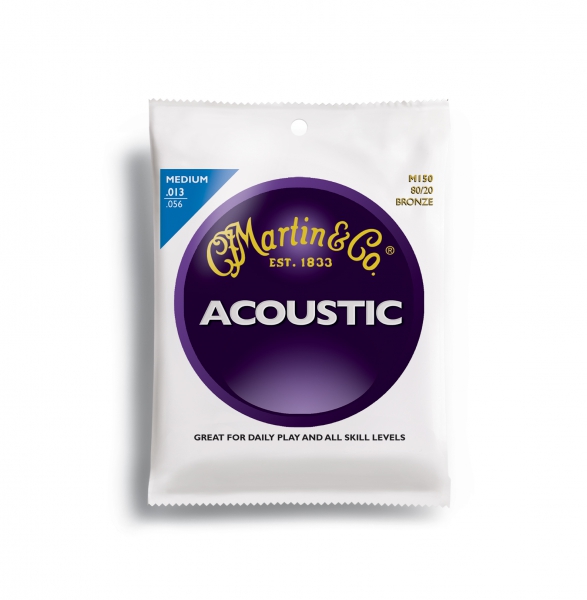
6. Martin: There are too many types of Martin strings, and they are very thin, and Martin’s guitar is best with the sound of Martin’s strings. The warm, faint Martin sound will come in.
7. Ernieball: This brand is a world-renowned electric string string, a string commonly used in electric guitars. Many people may have never used its acoustic guitar strings. In fact, the effect is actually good. It is a bit like Dean Markley’s feeling. The tension is big. It is recommended to buy it if you never use it before. It is suitable for Rock Style~





-1.png)